CS2 Jump Throw and Run Throw Guide
How you release a grenade decides whether a smoke lands exactly where you practiced it or three feet short because you threw a tick early. If you've ever hit a lineup on your own server and then missed it in a match, the release is usually why.
Jump throw vs. run throw vs. run jump throw
Each of these releases sends the grenade somewhere different:
- Jump throw: jump, then release the grenade at the peak of the jump. This takes your movement velocity out of the throw, so the same lineup gives you the same trajectory every time. Most "standing" lineups on this site assume a jump throw unless they say otherwise.
- Run throw: release while sprinting forward, without jumping. Your run speed adds to the grenade's velocity, so it travels further and flatter than a standing throw from the same spot. Use it for smokes and flashes that need more distance than you can get standing still.
- Run jump throw: sprint into a jump and release at the peak. This combines both for maximum distance and height, and it's how you get smokes over walls that a standing jump throw won't clear.
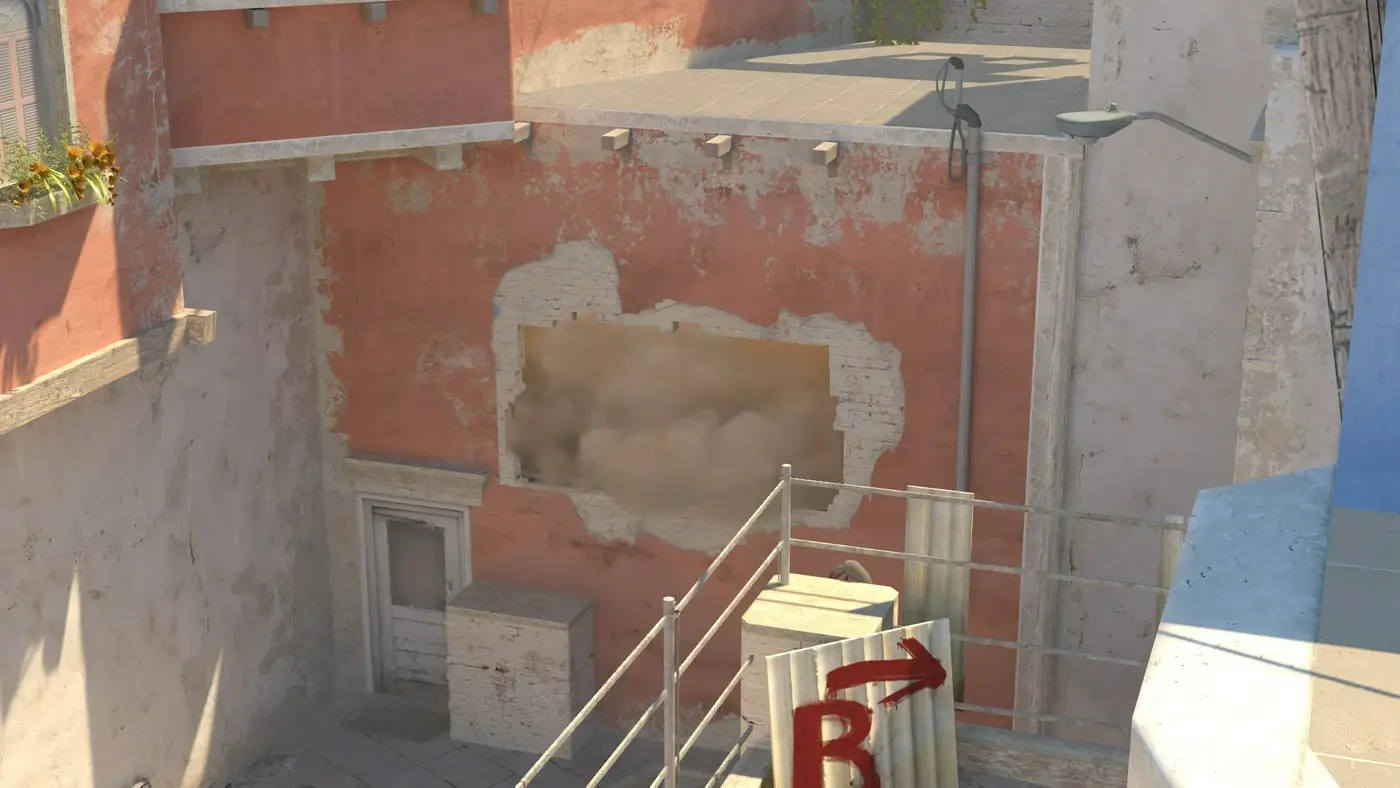
Here's a run jump throw that clears a wall a standing jump throw can't reach:
From the same spot, the same grenade lands in three different places depending on which release you use. If a lineup guide doesn't say which one, assume a standing jump throw. It's the default because it's the easiest to repeat.
The jump-throw bind is banned
Old jump-throw binds combined the jump and the release into a single keypress:
alias "+jumpthrow" "+jump;-attack"
alias "-jumpthrow" "-jump"
bind "key" "+jumpthrow"
Valve banned these on official, VAC-secured servers in the August 19, 2024 "Side-stepping Skill" update. The patch notes specifically mentioned removing binds that chain more than one movement or attack action into a single input. Run-throw binds that stacked +forward, +jump, and -attack stopped working the same day for the same reason.
Grenade binds weren't really the target. Valve was shutting down input automation for counter-strafing, like Razer's Snap Tap, and jump-throw binds got caught in the blast radius. Pros were understandably furious, since jump-throw binds had been standard practice since 1.6, but Valve didn't reverse it.
What you can still do legally:
- Mouse wheel jump:
bind mwheelup +jump(ormwheeldown) maps one physical input to one action, so it isn't a chained bind. Scroll to jump, then click to release at the peak yourself. This is the closest you'll get to the old bind's consistency without breaking the rules. - Manual jump throw: press space to jump and left-click to release near the top of the arc. CS2's timing window for this is more forgiving than CS:GO's was. Valve also improved the jump-throw preview camera in a 2026 update, so you can see where your nade will land while you're holding the throw. Use it while you practice, and it'll cut your calibration time in half.
- Mouse-axis workaround: a more involved setup that rebinds a mouse axis (usually
mouse_y) to fire the throw alias instead of tying it directly to a key. Each action stays a separate input, so it doesn't break Valve's rule against multi-action binds. It works on official servers right now, but for most players it's more trouble to set up than it's worth. Rules that ban "automated" throws also tend to cover it in spirit, even when the config technically passes. Most tournament rulesets (ESL, BLAST, most FACEIT leagues) either ban it outright or leave it in a gray area, so check before you build your practice routine around it.
If you play anywhere an admin watches demos, don't rely on the mouse-axis trick. If you're just climbing in MM or Premier, mouse wheel jump plus a manual release is legal everywhere and gets you 95% of the consistency with no risk.
Practicing the manual release
Releasing by hand is the skill you need now, so practice it properly.
Start with a fixed standing throw with no run, which keeps the timing simple while you calibrate. This one works well:
- Go into an offline server or your local dev server with
sv_cheats 1andmp_restartgame 1so you can reset quickly. - Pick one lineup you already know well, like the one above.
- Jump, hold the grenade, and release right as your character reaches the top of the arc. Don't wait for the jump sound. For most people that's a frame or two early.
- Compare where it lands to the lineup image. If you're consistently short, you're releasing before the peak. If you're consistently long or the arc looks wrong, you're releasing on the way down.
- Do 15 to 20 reps in one sitting, then stop. Short, frequent sessions build release timing better than long ones.
Run throws work the same way, except you're calibrating how far you sprint before the throw instead of the jump. Start your run from the same fixed point every time, like a wall corner or a specific texture on the ground, so release timing is the only thing that changes.
Why this matters for your lineups
A lineup on this site, or any site, only works if you repeat the exact throw type it was recorded with. A smoke recorded as a standing jump throw will fall short as a plain run throw, and a run jump throw done as a standing jump throw might not clear the wall it's meant to clear. When a lineup isn't landing, check that you're using the right release type before you adjust your camera angle or your standing spot.
If you play in a league or scrims with strict rules on binds, ask your team or admin exactly what's allowed before you build fifty lineups around a mouse-axis script. It's better to find out now than to relearn everything the week before a qualifier.